
A password generator creates a random password of the length and character types you choose, so you do not have to invent one. A 16-character mix of letters, digits and symbols is a strong default.
On this page
How to use the password generator
- Choose a length between 4 and 64.
- Choose whether to include symbols.
- Generate, then copy the password into your password manager.
How the password generator works
The password generator builds a random string of the length you choose, from 4 to 64 characters, with a default of 16. It draws from upper-case letters, lower-case letters and digits, and adds symbols when you leave that option on. Each character is picked independently. The password is created in your browser and is not sent to or stored on our server.
How random is it?
This password generator uses crypto.getRandomValues, the cryptographically secure random number source built into modern browsers, with rejection sampling so every character is equally likely. The result shows the entropy in bits. If a browser lacks that source, the tool shows an error instead of falling back to a weaker one. Nothing is sent to a server, so close the page after copying the password into your manager.
Password generator worked example
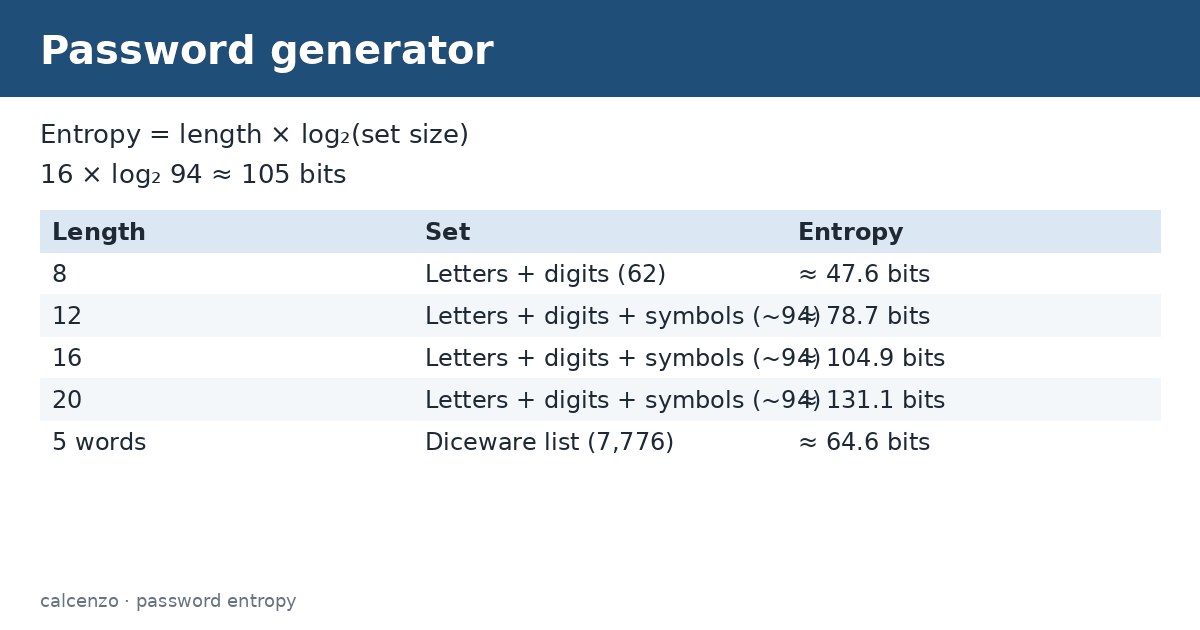
A 16-character password from about 94 printable characters has 94¹⁶ possibilities, about 105 bits of entropy if the generator is truly random. Even a 12-character password from the same set gives around 79 bits. Dropping symbols to 62 characters reduces each character’s contribution from about 6.55 to 5.95 bits, so add a few characters to compensate. The table compares lengths.
| Length | Character set | Entropy (ideal) |
|---|---|---|
| 8 | Letters + digits (62) | ≈ 47.6 bits |
| 12 | Letters + digits + symbols (~94) | ≈ 78.7 bits |
| 16 | Letters + digits + symbols (~94) | ≈ 104.9 bits |
| 20 | Letters + digits + symbols (~94) | ≈ 131.1 bits |
| 5 words | Diceware list (7,776) | ≈ 64.6 bits |
Length matters most
NIST Special Publication 800-63B requires that passwords used as the only authentication factor be at least 15 characters, and recommends that services allow at least 64. It also advises against forced composition rules and routine expiry, and says passwords should be checked against lists of known breached values. In practice, a long random password from a good password generator, or a passphrase of several random words, beats a short complex one.
Storing and using passwords
CISA recommends using a strong, unique password for every account and a password manager to keep track of them, plus multi-factor authentication wherever it is offered. Never reuse a password across sites: if one site is breached, attackers try the same email and password everywhere. Do not send passwords by email or chat, and change any password you think has been exposed.
Passphrases
A passphrase of five or six words chosen at random from a large list, using real dice or a secure generator, is easy to type and remember yet hard to guess. Five words from a 7,776-word list give about 65 bits. Words you pick yourself, quotes or song lyrics are far weaker because people choose predictably.
When sites limit characters
Some older sites reject symbols or cap length. Turn symbols off in the password generator and use more characters to keep the strength. If a site caps passwords at 8 or 12 characters, enable multi-factor authentication and treat that account as higher risk.
Tips
- Use 16 or more characters for important accounts.
- Generate a new password for every site.
- Save it straight into a password manager.
- Turn on multi-factor authentication.
Checking a password you already use
If you are unsure whether an existing password is safe, check it against breach databases through your password manager or a reputable breach-alert service, and replace any password that appears. Replace short passwords, passwords built from names or dates, and anything you have reused. A fresh one from a trusted password generator, saved in a manager, takes seconds and closes the gap.
For general information only, not security advice for any specific system. Follow your organisation’s password policy.
Related converters and calculators
Related calculators:
- Random number generator: random numbers
- Base64 encoder and decoder: encoding
- Percentage calculator: percentages
Sources
NIST SP 800-63B-4: Authentication and authenticator management; CISA: Use strong passwords.
Formula and method
Charset = A-Z, a-z, 0-9, plus optional symbols. For i in 1..length: pick charset[u mod n] where u is a crypto.getRandomValues 32-bit value (rejection sampling). Entropy = length x log2(n).
Client-side cryptographically secure sampling (crypto.getRandomValues) over a fixed character set. Nothing is sent to a server.
Questions about this calculator
How long should a password be?
At least 15 characters for a single-factor password, per NIST; 16 or more is a good default.
Is it cryptographically secure?
Yes, it uses crypto.getRandomValues, the browser’s secure random source.
Are passwords stored?
No, they are generated in your browser.
Should I include symbols?
Yes when allowed; otherwise add length.
Are passphrases good?
Yes, random words from a large list are strong and memorable.
Check the assumptions and units before relying on a result. Financial, tax and health estimates do not replace advice for your individual circumstances.
Report a calculation issue