
A student loan calculator estimates your monthly payment and total interest from the loan balance, rate and term. Formula: Monthly rate r = APR/100/12. Payment = P × r × (1+r)^n / ((1+r)^n – 1) for r>0; else P/n. Total = payment × n. Interest = total – P. $35,000 at 5.5% over 120 months is $379.84 a month with $10,581.04 of interest.
On this page
How to use the student loan calculator
- Enter the loan balance.
- Enter the annual interest rate.
- Enter the term in months.
- Read the payment, total paid and total interest.
How the student loan calculator works
The student loan calculator finds the fixed monthly payment that pays off a loan over a set number of months, using the standard amortization formula:
- Payment = P × r ÷ (1 − (1 + r)^−n)
P is the loan balance, r is the annual rate divided by 12 and n is the number of months. You enter the balance, the annual interest rate and the term in months. It shows the monthly payment, the total paid and the total interest.
Student loan calculator worked example
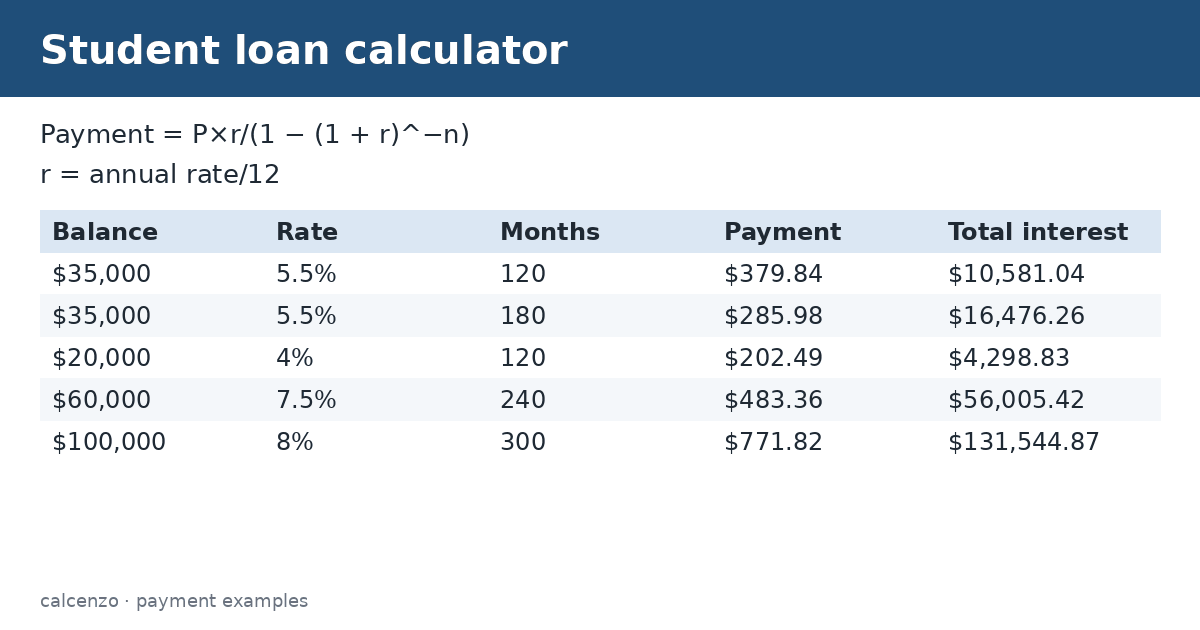
A $35,000 balance at 5.5% over 120 months gives a payment of $379.84. Over the 10 years you pay $45,581.04, of which $10,581.04 is interest. Stretching the same loan to 180 months lowers the payment to $285.98 but raises the interest to $16,476.26. The student loan calculator makes this trade-off between payment and total cost easy to see.
| Balance | Rate | Months | Payment | Total interest |
|---|---|---|---|---|
| $35,000 | 5.5% | 120 | $379.84 | $10,581.04 |
| $35,000 | 5.5% | 180 | $285.98 | $16,476.26 |
| $20,000 | 4% | 120 | $202.49 | $4,298.83 |
| $60,000 | 7.5% | 240 | $483.36 | $56,005.42 |
| $100,000 | 8% | 300 | $771.82 | $131,544.87 |
The Tiered Standard Plan
For federal Direct Loans made on or after July 1, 2026, the standard repayment term depends on how much you owe. Federal Student Aid lists 10 years for balances under $25,000, 15 years for $25,000 to $49,999, 20 years for $50,000 to $99,999 and 25 years for $100,000 or more, with payments of at least $50 a month. Under that plan, the $35,000 example would be on the 180-month row. Older loans generally keep the 10-year standard plan. Enter the matching term in months to model your plan.
Income-driven plans
Income-driven plans base the payment on income and family size rather than the balance, so this tool does not estimate them. Federal rules on these plans changed in 2025 and 2026, and the options depend on when your loans were made. Use the Loan Simulator at StudentAid.gov to compare plans with your actual loans.
Private loans and refinancing
Private student loans work the same way mathematically, but rates may be variable, and they do not have federal protections such as income-driven plans or deferment options. Refinancing federal loans into a private loan gives those protections up. Compare the total interest at each rate and term before deciding.
Several loans
If you have several loans at different rates, run the tool for each and add the payments, or use the weighted average rate on the total balance for a rough estimate. Paying extra toward the highest-rate loan first saves the most interest.
What the tool leaves out
The result assumes a fixed rate and equal payments from the first month. It ignores interest that builds up during school or grace periods, fees, autopay discounts and capitalized interest. Your servicer’s figures are the official ones.
Paying extra
A student loan calculator also shows the value of paying extra. Federal loans have no prepayment penalty. Adding $50 a month to the $35,000 example at 5.5% shortens a 10-year payoff by more than a year and saves well over $1,000 in interest. Ask your servicer to apply extra payments to principal, and to the highest-rate loan first if you have several. Even one extra payment a year makes a noticeable difference over a long term; rerun the student loan calculator with a shorter term to see the effect.
Tips
- Compare at least two terms to see the interest cost.
- Check which repayment plan your loans qualify for.
- Pay extra toward the highest-rate loan first.
- Confirm the payment with your loan servicer.
Estimates for education only, not financial advice. Your lender’s figures are final.
Related converters and calculators
Related calculators:
- Loan calculator: any loan
- Amortization calculator: schedule
- Debt payoff calculator: pay off faster
- Compound interest calculator: interest
Sources
Federal Student Aid: What is the Tiered Standard Plan?; Federal Student Aid: Student loan repayment.
Formula and method
Monthly rate r = APR/100/12. Payment = P * r * (1+r)^n / ((1+r)^n - 1) for r>0; else P/n. Total = payment * n. Interest = total - P.
Standard amortizing installment loan. Not income-driven repayment, forgiveness, or servicer-specific schedules.
Questions about this calculator
How is the payment calculated?
With the standard amortization formula.
What is the Tiered Standard Plan?
A federal plan with 10 to 25 year terms based on the balance, for loans made on or after July 1, 2026.
Does it handle income-driven plans?
No.
Does a longer term cost more?
Yes, it lowers the payment but raises total interest.
Is the result official?
No; your servicer’s figures are.
Check the assumptions and units before relying on a result. Financial, tax and health estimates do not replace advice for your individual circumstances.
Report a calculation issue