
How to read a message with the MSG viewer
Choose one .msg file or drag it into the file area. Parsing starts when the file is selected. Inspect the message summary and decoded text body first. Expand Headers to see stored transport-header text when the source provides it. If an HTML body exists, expand HTML body (remote content blocked) to view its supported sanitized structure.
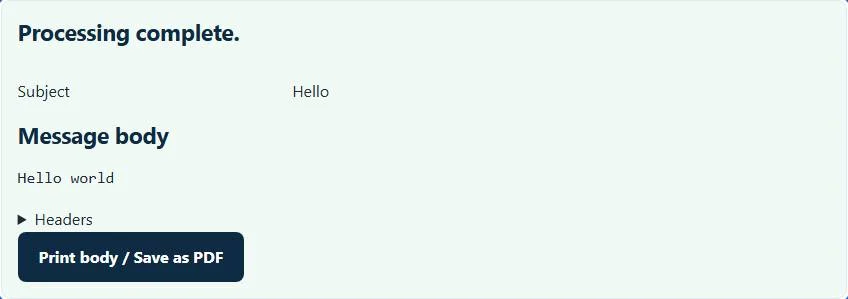
Download buttons save individual decoded attachments. Download all attachments as ZIP prepares an archive containing the extracted files. Print body / Save as PDF uses the browser print dialog for the text body; choose a PDF destination if the browser supplies one. These controls do not send the message, save it to Outlook or open an attachment automatically.
Why an MSG file is not an EML file with another name
Outlook MSG uses a compound-file structure with streams and storages for message properties and attachment data. EML uses an internet-message header and MIME body structure. That difference is why renaming example.msg to example.eml does not convert the message, and why a text editor may show binary data instead of readable paragraphs.
This MSG viewer checks the compound-file signature and reads supported ordinary mail properties. The subject and recipients come from those stored values, rather than from a live mailbox query. The resulting view is useful for accessing saved correspondence, but it is not a replacement for all Outlook item features or an assurance that every proprietary attachment structure can be reconstructed.
Worked example: extracting a saved project message
Imagine you have a fictional Project schedule.msg message with a sender at example.test, a text body saying Review Monday’s schedule, and an attachment named agenda.txt. A supported ordinary mail item displays the subject and sender in the summary, the sentence in the Message body section, and a Download button for agenda.txt.
Downloading the attachment saves its decoded bytes separately from the message. Printing the body produces a reading copy of the sentence and subject; it does not combine agenda.txt into that printout. The source .msg file remains unchanged. If you need a reproducible archive, retain the original message as well as any extracted attachments rather than treating a printout as a complete replacement.
HTML restrictions and readable RTF text
A saved HTML body can carry external image URLs, scripts or active markup. This implementation sanitizes its allowed text and table structure, displays it in a sandboxed frame, and blocks remote resources. Logos and rich layout may disappear. There is no setting here that loads remote email images anyway or turns the message into an interactive web page.
Some Outlook messages provide compressed RTF instead of a useful plain-text body. Supported RTF is converted to readable text; fonts, embedded objects and pixel-perfect Outlook formatting are not promised. A message depending on an unsupported proprietary embedded object may need the original trusted Outlook environment. Decoding the surrounding email does not certify the safety of that object.
Recognize unsupported items and incomplete exports
The supported profile is ordinary CFB-format Outlook mail, including recognized IPM.Note message classes. Calendar invitations saved as other item types, task records, encrypted messages and some embedded attachment layouts are outside that profile. The MSG viewer reports unsupported or malformed input rather than interpreting every Outlook object as an email.
An empty or truncated file, a different compound document renamed .msg, or a partially saved attachment can also prevent parsing. Ask the source application to save the original message again when possible. Do not remove encryption or change binary properties just to satisfy this MSG viewer. The configured file-size limit and parser expansion bounds also protect against unusually large local content.
Choose a relevant next step without changing the evidence
If your saved message is an internet-format .eml, use the EML viewer. A downloaded contact-card collection belongs in the vCard splitter and merger rather than this email-body viewer. For aggregate authentication statistics, the DMARC report analyzer reads a separate XML report, not a message body.
The plugin does not upload selected email bytes to WordPress or an external parsing service. That local handling does not make downloaded attachments harmless or prove a sender’s identity. Keep sensitive correspondence in an appropriate folder, use normal attachment precautions, and press Clear files and results when finished on a shared device.
Common MSG viewer errors and how to fix them
When the MSG viewer cannot use a file, it stops with one clear message instead of producing a half-finished download. These are the problems people run into most often, with the fix for each:
- The file does not match the expected format or has invalid structure. The file is not an OLE compound file. An .eml message or a damaged download renamed to .msg fails this check.
- This Outlook item is not an ordinary email message. Meeting and task items are outside the supported profile. The item class is not IPM.Note, for example a calendar invitation or task saved from Outlook.
- The file contains too many records for this browser tool. The message has more attachments or properties than the browser limit allows.
Privacy: the MSG viewer runs in your browser
MSG viewer processing happens with JavaScript in a background worker on this page. Your file is not uploaded to a FileFix server, and the results you download are created in your browser’s memory. Email often contains personal data and attachments, so it is useful that nothing leaves your device. When you finish on a shared computer, clear the selection or close the tab.
For the underlying format rules, see the Microsoft [MS-OXMSG] Outlook Item (.msg) File Format. The MSG viewer follows the subset described on this page rather than every optional feature in those documents.
Sources
The MSG viewer follows these specifications and format guides:
Questions about this tool
Do I need Outlook installed to use this MSG viewer?
No. The supported file is parsed in the browser. Outlook-specific item types or unsupported encrypted messages may still require an appropriate trusted application.
Can it open a saved Outlook task or meeting item?
This implementation supports ordinary mail message classes. Task and nonmail meeting items are outside that profile.
Why does an RTF message lose its original styling?
Supported compressed RTF is reduced to readable text. The viewer does not reproduce the complete Outlook rich-text layout.
Can I get a PDF containing the body and every attachment?
The print action uses the decoded text body only. Attachments are downloaded separately and need their own suitable viewers.
Does reading the sender field verify who sent the email?
No. It displays stored message properties. It does not run a live authentication or identity-verification service.
Review the supported formats and limitations before using an output file. File processing happens in your browser.