
How to use the ICS validator
Choose one .ics file or drag it into the file area. Selection begins validation automatically. Read the result’s errors and line references, then compare each reported issue with the original file in a text or calendar editor. If you corrected the source, choose the corrected file and process it again rather than assuming the old result now describes the new bytes.
The ICS validator also provides events.csv with its selected readable event fields. That export can help inspect event names, dates, locations, descriptions and UIDs, but it is not a repaired calendar file. When problems are reported, do not treat the CSV as proof that every source property was accepted. This original validator uses file selection and automatic text decoding, without a separate paste field or recurrence-expansion control.
Calendar structure and required event properties
An ordinary calendar has a VCALENDAR wrapper and a VERSION value of 2.0. Nested BEGIN and END components need matching boundaries. The ICS validator checks those basics and reports malformed property lines or an incomplete component stack. It unfolds supported continuation lines before interpreting properties so a long description is not mistaken for an unrelated new field.
Within its ordinary VEVENT profile, it checks for UID, DTSTAMP and DTSTART. UID identifies the event, DTSTAMP records its timestamp, and DTSTART provides its start. DTEND and DURATION cannot both describe the same event’s end in this checked structure. This is deliberately a basic event-oriented profile; it should not be interpreted as a complete decision about every possible RFC exception or specialized calendar object.
Worked example: fix an impossible start date
A line DTSTART:20260230T090000Z describes February 30, 2026, which is not a valid calendar date. The ICS validator reports a date issue instead of treating it as March 2. If the intended date was February 28, correct it in the calendar’s authorized source and export again. Do not guess the user’s intended meeting date only from a malformed string.
A simple supported event uses a distinct UID, a UTC DTSTAMP and valid start/end values, as in this invented example. If you paste it into an editor to save a test file, retain the wrapper and blank-free property structure; this page still reads the resulting local .ics file.
BEGIN:VCALENDAR
VERSION:2.0
PRODID:-//Example//EN
BEGIN:VEVENT
UID:planning-1@example.test
DTSTAMP:20260101T000000Z
DTSTART:20260105T090000Z
DTEND:20260105T100000Z
SUMMARY:Planning meeting
END:VEVENT
END:VCALENDAR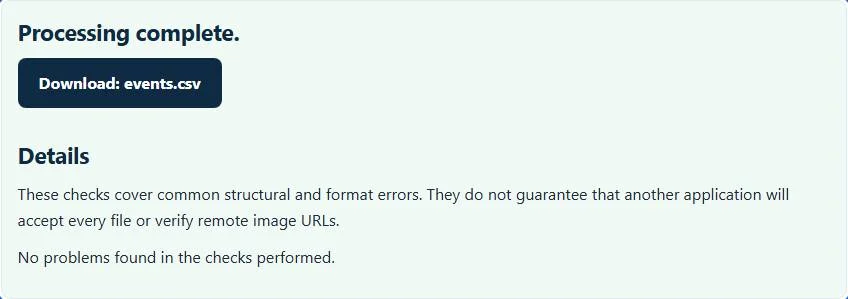
Recurrence identities need context
An edited occurrence can legitimately use its parent series UID together with a RECURRENCE-ID. Those two values identify the exception, so sharing the series UID alone does not make it a duplicate. This ICS validator checks repeated UID/recurrence identities and some basic RRULE conditions, including known frequency names and invalid COUNT/UNTIL combinations.
It does not fully expand every recurrence, validate every rule interaction or compare all timezone transitions. Use ICS to CSV when you need this site’s supported bounded occurrence export. For authoring a simple pattern, the RRULE generator can preview its separately supported recurrence subset.
Timezone labels and chronological errors
UTC values and floating times have different meanings. The validator checks date syntax and basic timezone references, using embedded zone identifiers or supported browser timezone recognition for its checked label cases. That does not prove an entire VTIMEZONE definition or a destination calendar’s daylight-saving behavior is correct.
The basic end-before-start check is not a comprehensive elapsed-time engine across every timezone combination. If an event imports at an unexpected hour, inspect its UTC marker, TZID and source export settings as well as the validation result. Verify representative dates in the actual receiving calendar, especially where seasonal clock changes matter.
Use diagnostics to improve the source, then test the destination
For a spreadsheet-derived schedule, the CSV to ICS converter provides explicit date-format and column-mapping controls. To combine supported existing calendars while detecting identity conflicts, use the ICS merger. Neither route makes this basic validator a calendar-server certification suite.
Keep the original file, correct the responsible export or authoring source, and test a few events in the destination before importing a full schedule. The current file-size limit and parser record bounds apply to local processing. A clear result means no issue was found by the checks implemented here; it does not guarantee that alarms, invitations, tasks or every application-specific property will survive an import.
Common ICS validator errors and how to fix them
When the ICS validator cannot use a file, it stops with one clear message instead of producing a half-finished download. These are the problems people run into most often, with the fix for each:
- Invalid calendar nesting or missing VERSION:2.0. A BEGIN:VEVENT has no END:VEVENT, or the calendar lacks VERSION:2.0. An unclosed component can hide later problems, so fix it first and validate again.
- Missing required event property. An event has no UID, DTSTAMP or DTSTART.
- Invalid calendar date or time. A value such as 20260230 or a time of 25:00 cannot exist.
- Unknown calendar time zone. A TZID parameter refers to a time zone the file does not define.
- DTSTAMP must use UTC with a Z suffix. The creation stamp is written in local time.
Privacy: the ICS validator runs in your browser
ICS validator processing happens with JavaScript in a background worker on this page. Your file is not uploaded to a FileFix server, and the results you download are created in your browser’s memory. Calendars reveal meetings, names and locations, so local processing keeps that schedule private. When you finish on a shared computer, clear the selection or close the tab.
For the underlying format rules, see the RFC 5545 (iCalendar). The ICS validator follows the subset described on this page rather than every optional feature in those documents.
Sources
Questions about this tool
Does a clear result prove complete RFC 5545 compliance?
No. This is a bounded set of basic calendar and event checks. Full recurrence, timezone, server and specialized-object conformance are outside its scope.
Can recurrence exceptions share a UID with their series?
Yes. A RECURRENCE-ID distinguishes an edited occurrence from its master. Repeated UID/recurrence identities are different from legitimate shared series UIDs.
Does the validator rewrite a damaged calendar automatically?
No. It reports diagnostics and offers selected event fields as CSV. Correct the authoritative source and export the calendar again.
Can an event still import at the wrong time after passing?
Yes. Basic syntax checks do not certify every timezone definition or receiving app’s behavior. Test UTC, floating and named-zone events in the actual destination.
What does the downloadable events.csv contain?
It contains the selected readable event fields, such as name, start, end, location, description and UID. It is not a complete calendar backup or a corrected ICS file.
Review the supported formats and limitations before using an output file. File processing happens in your browser.