
This Instagram not following back checker works from your own data download. To see who doesn’t follow you back on Instagram without logging in anywhere, download your followers and following from Instagram (Accounts Center > Your information and permissions > Download your information, JSON format), then choose the ZIP in the checker below. It lists who you follow that does not follow you back.
Instagram Not Following Back Checker at a glance
| Input | One Instagram data download at a time: the ZIP, or its followers_1.json and following.json |
|---|---|
| Output | On-screen lists; not-following-back.csv, not-followed-back.csv, followers.csv, following.csv |
| Login needed | No. You never enter your Instagram password |
| Recommended format | JSON |
| File limit | 25 MB per file |
| Privacy | Runs in your browser; your files are not uploaded |
How do you use the Instagram Not Following Back Checker?
- Request your data. In Instagram: profile > ☰ > Accounts Center > Your information and permissions > Download your information > Download or transfer information.
- Pick Followers and following. Choose Some of your information, tick Followers and following, then Download to device, format JSON, date range All time.
- Download the ZIP. Instagram emails you when it is ready. Download the ZIP file.
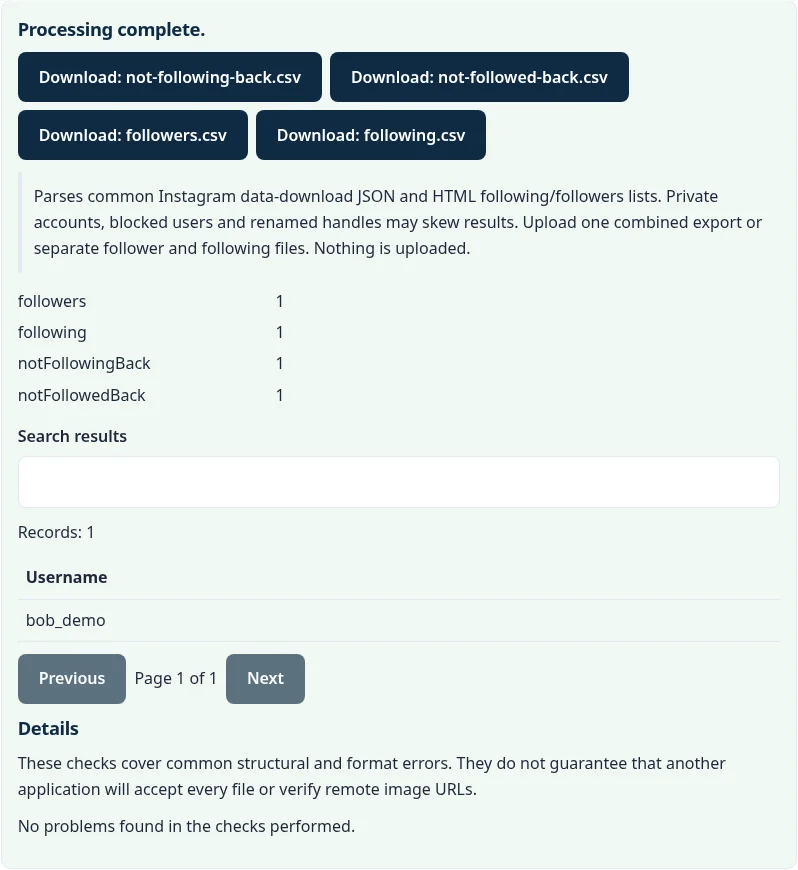
- Open it here. Choose the ZIP. The checker shows your counts and the list of accounts not following you back; download any list as CSV.
How can I see who doesn't follow me back on Instagram?
Compare your followers and following lists from Instagram’s official data download. This checker does the comparison in your browser.
Example: an export with 5 followers (alice, bob, carol, dave, zoe.k) and 5 accounts followed (alice, bob, eve, frank_1, zoe.k) shows 2 accounts not following back, eve and frank_1, and 2 fans you don’t follow back, carol and dave.
Is it safe to use an Instagram unfollowers app?
Apps that ask for your Instagram password put your account at risk. This checker never asks for a login; it only reads files Instagram gave you.
Where are the followers and following files in the Instagram download?
In the ZIP, under connections/followers_and_following/: followers_1.json and following.json.
Large accounts may have several followers files (followers_1.json, followers_2.json). Choose the whole ZIP so all of them are read.
Can it show who unfollowed me recently?
It shows who does not follow you back at the moment the export was made. Keep each export and compare the lists over time to spot recent unfollows.
How does the Instagram Not Following Back Checker compare with other options?
The main differences are cost, whether your file leaves your device, and what you get back. This table describes each option in general terms.
| Option | Cost | File uploaded? | Output | Main limitation |
|---|---|---|---|---|
| This checker | Free | No, runs in your browser | Lists + CSV | Snapshot from the export date |
| Third-party unfollower apps | Free or paid | Often ask for your Instagram login | Live lists | Risk of account restrictions |
| Checking profiles by hand in the app | Free | No | None | Slow for more than a few accounts |
| Browser extensions | Free or paid | Run inside your logged-in session | Live lists | Extension can read your Instagram session |
Is the Instagram Not Following Back Checker private?
Yes. The file is processed by JavaScript in a background worker in your browser tab and is not uploaded to a Calcenzo or FileFix server. Downloads are created in your browser’s memory. On a shared computer, use Clear files and results or close the tab when you finish.
Want the raw lists? Convert followers_1.json or following.json with the JSON to CSV converter, or compare two exports with the CSV diff tool to see who unfollowed you between them.
Sources
Questions about this tool
Is it safe? Do I need to log in?
You never log in here. The tool only reads the files Instagram gave you, in your browser, and nothing is uploaded. Apps that ask for your Instagram password can get your account restricted.
Why do I need to download my data first?
Instagram does not let outside sites read your follower lists. The official data download is the safe way to get them.
Should I choose JSON or HTML for the download?
Choose JSON. It is the most reliable format for this checker.
Can it tell me who unfollowed me recently?
It shows who does not follow you back at the time of the export. To see recent unfollowers, keep each export and compare the lists over time.
Why does someone appear who I know follows me?
They may have renamed their account, deactivated it, or followed you after the export was created. Request a fresh export and check again.
Review the supported formats and limitations before using an output file. File processing happens in your browser.